fancy (research) tools!

We develop tools that speed up a specific workflow, for research and cultural institutions as well as for companies and public administration. Every tool is tested on your data and documented so that others can continue working on it.

A service of Digital Humanities Craft
Fig. 1 Letter edition before and after the introduction of a checking tool, schematic.

What our tools can do

Tools to adapt

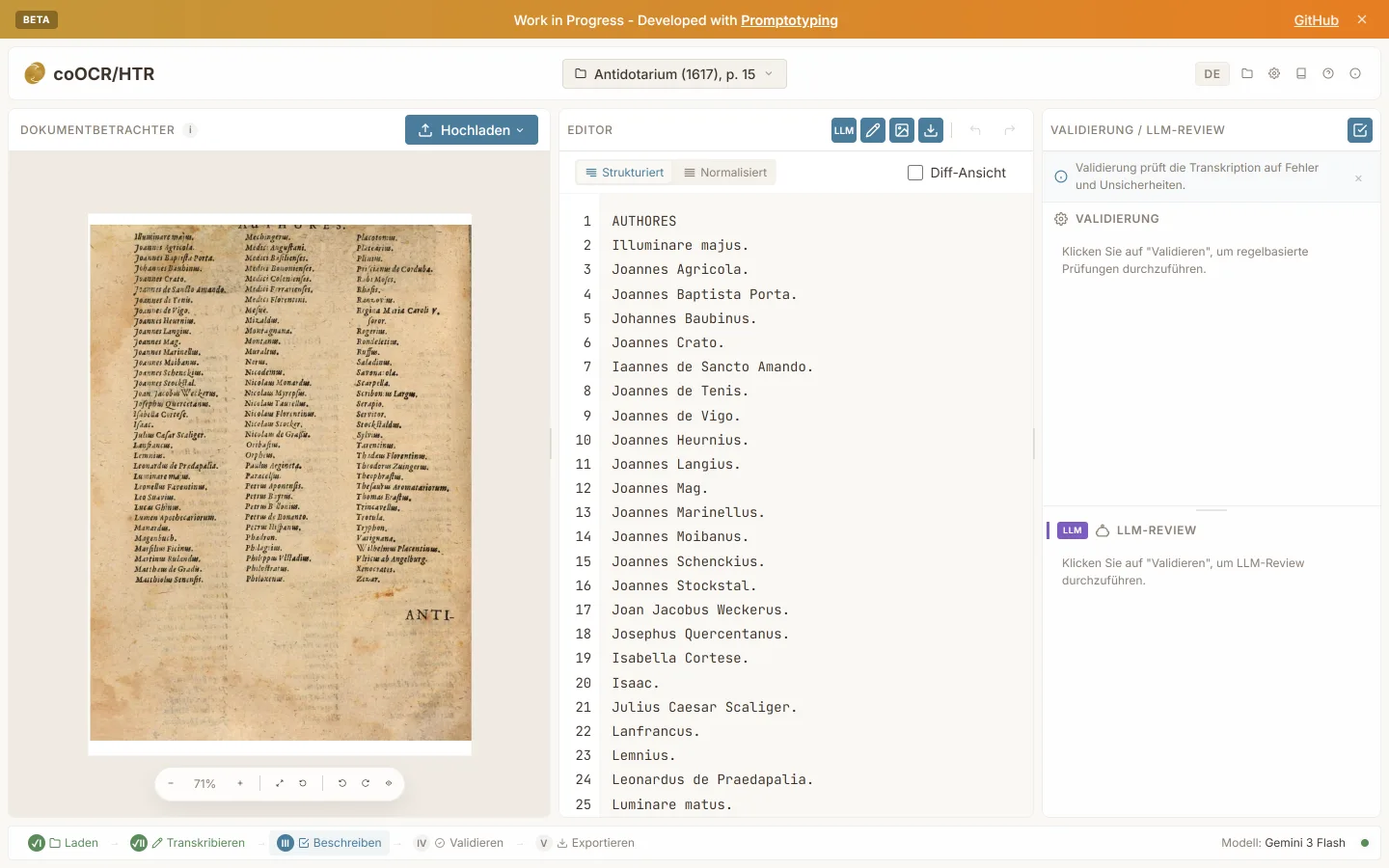
  • coOCR/HTR with the scan of a printed page on the left, the recognised transcription in the middle and the review panel on the right.

    coOCR/HTR

    • Checks while you work
    • Data stays in-house

    Transcribing early printed books and manuscripts takes time, and errors of automatic recognition only become apparent in comparison with the image.

    coOCR/HTR combines text recognition, correction against the page image, checks and export in one browser application. The subject expert decides on every reading.

    State Research preview with recognition, correction, checks and export. An evaluation of recognition quality against reference data is still pending. Evidence
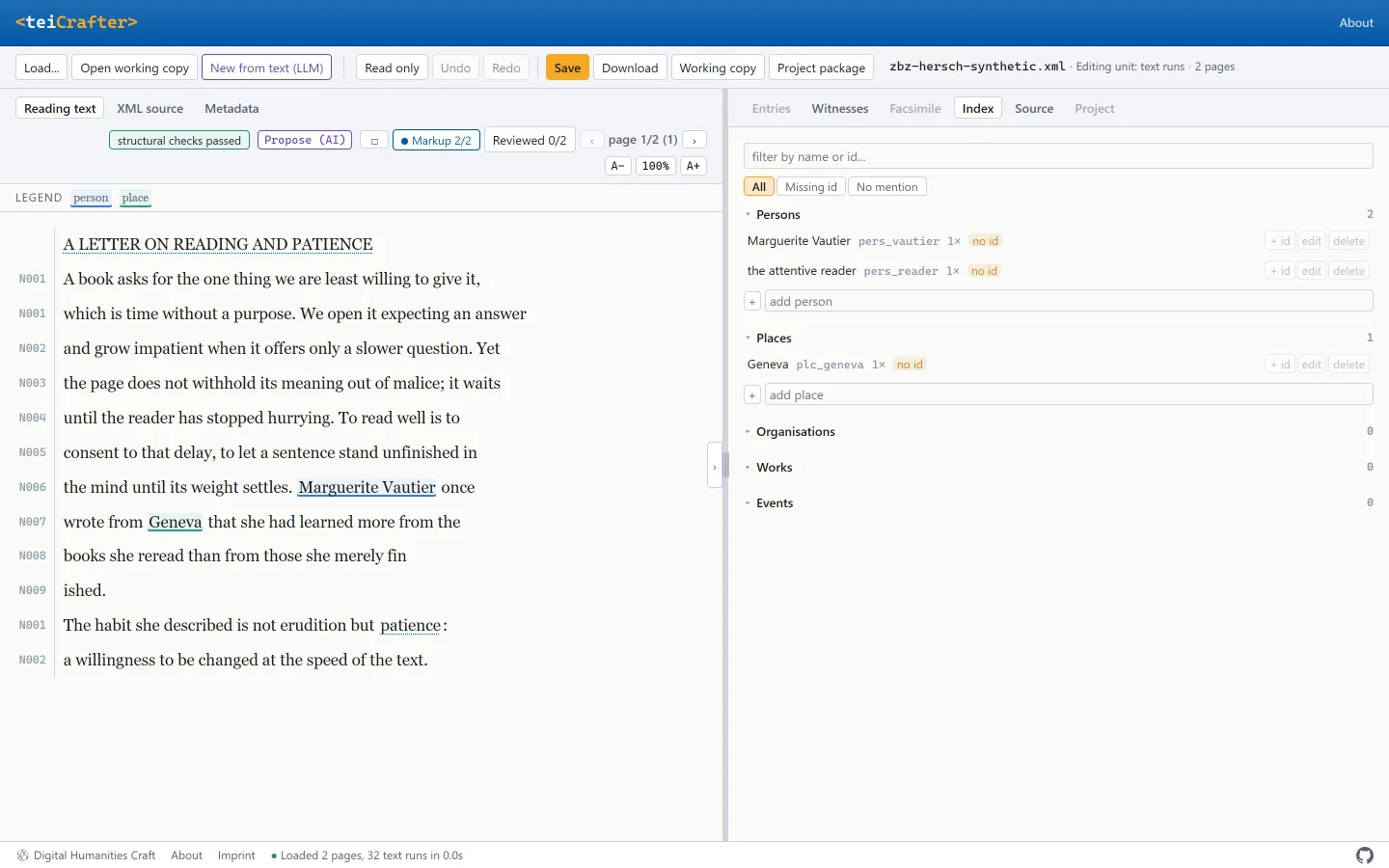
  • teiCrafter with readable letter text and marked persons and places on the left and the register of the persons and places mentioned on the right.

    teiCrafter

    • Familiar interface
    • Checks while you work
    • Data stays in-house

    Editing TEI XML by hand is error-prone, and a custom Oxygen framework is too costly for many projects.

    teiCrafter shows readable text instead of tags, validates against the schema on saving and changes the file only where it was edited. Suggestions from a large language model remain marked as such.

    State Technically tested research preview. Trial use in the daily work of an editorial team is still pending. Evidence

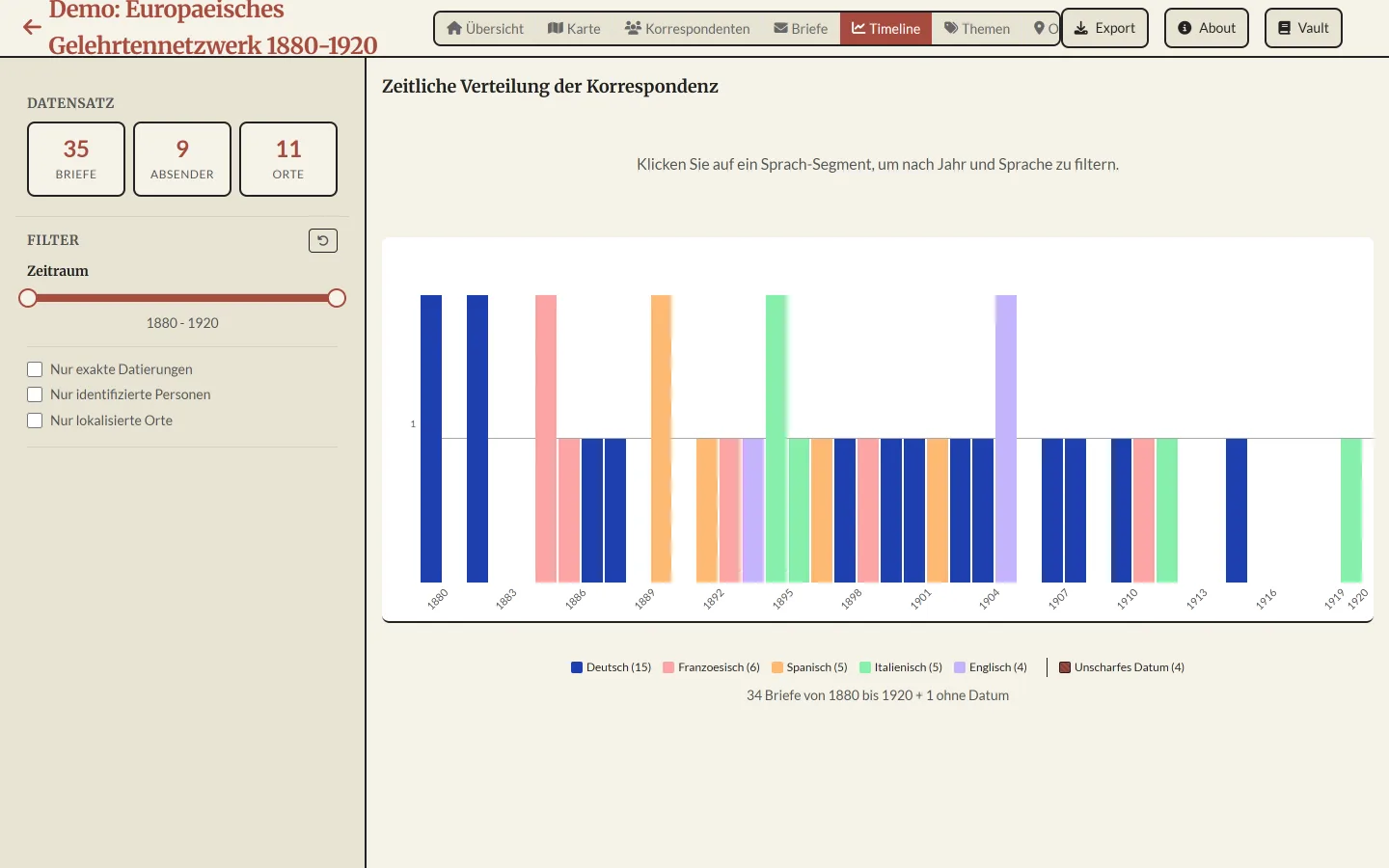
  • CorrespExplorer with a timeline of the letters in a demonstration collection, coloured by language, and filters along the left edge.

    CorrespExplorer

    • Overview of the whole collection
    • Data stays in-house

    Letter metadata are available as XML, but who wrote to whom, when and from where can hardly be seen in them.

    CorrespExplorer shows a map, a timeline, a network and further views with shared filters, directly from a CMIF file or from correspSearch. Uploaded files remain in the browser.

    State Running demo with all views and export. The map view currently lacks its background map, and an evaluation with users is still pending. Evidence

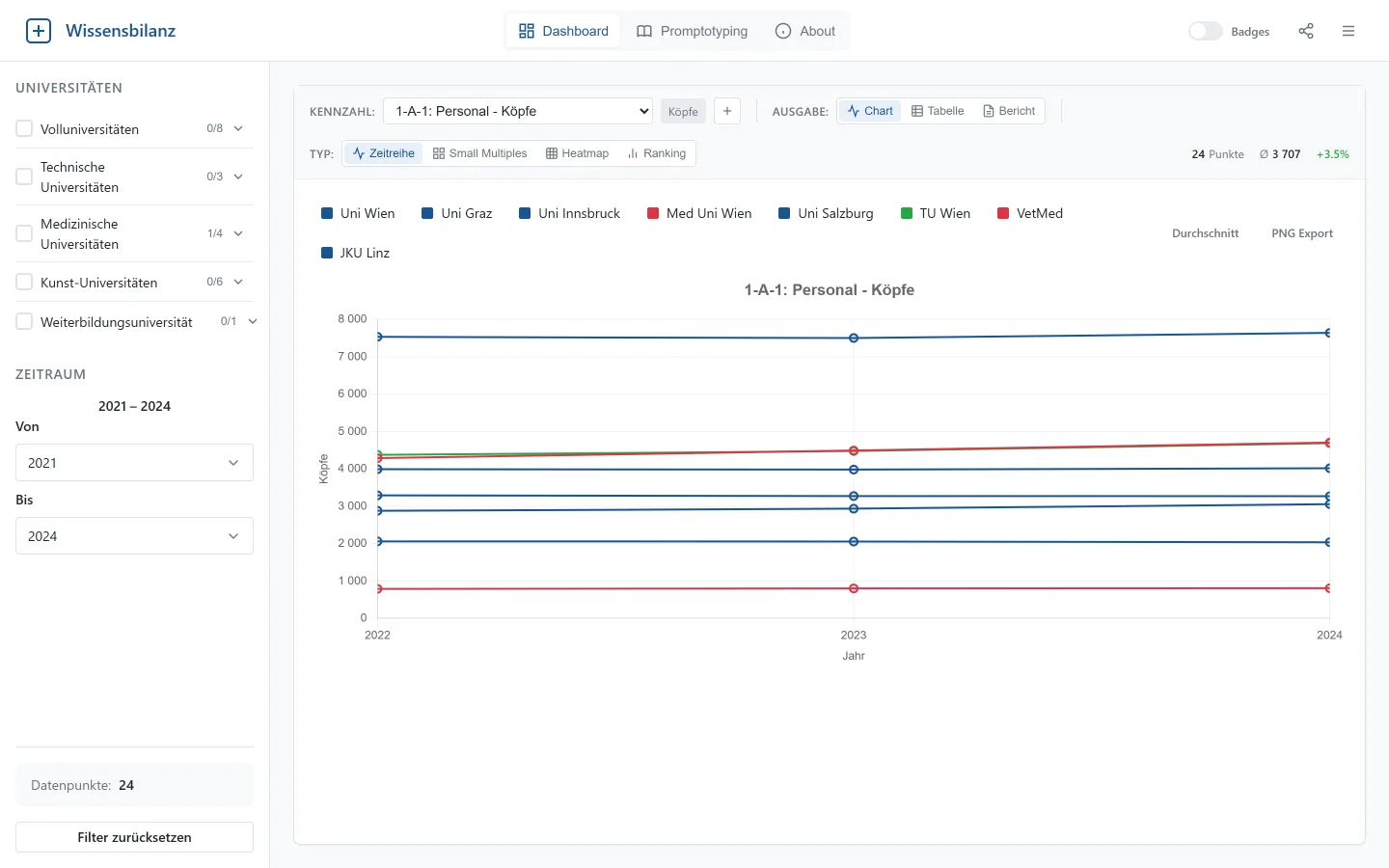
  • Wissensbilanz-Dashboard with filters by university type and period on the left and a time series of the staff indicator for several Austrian universities on the right.

    Wissensbilanz-Dashboard

    • Overview of the whole collection

    The indicators of the Austrian universities' intellectual capital reports (Wissensbilanzen) are spread across separate Excel analyses, and comparing universities or several years takes a great deal of manual work.

    The Wissensbilanz-Dashboard brings the public indicators of the Austrian universities together in a uniform format and presents them for comparison as a time series, a table or a report.

    State Working prototype from a higher education project. The frontend is being developed further. Evidence

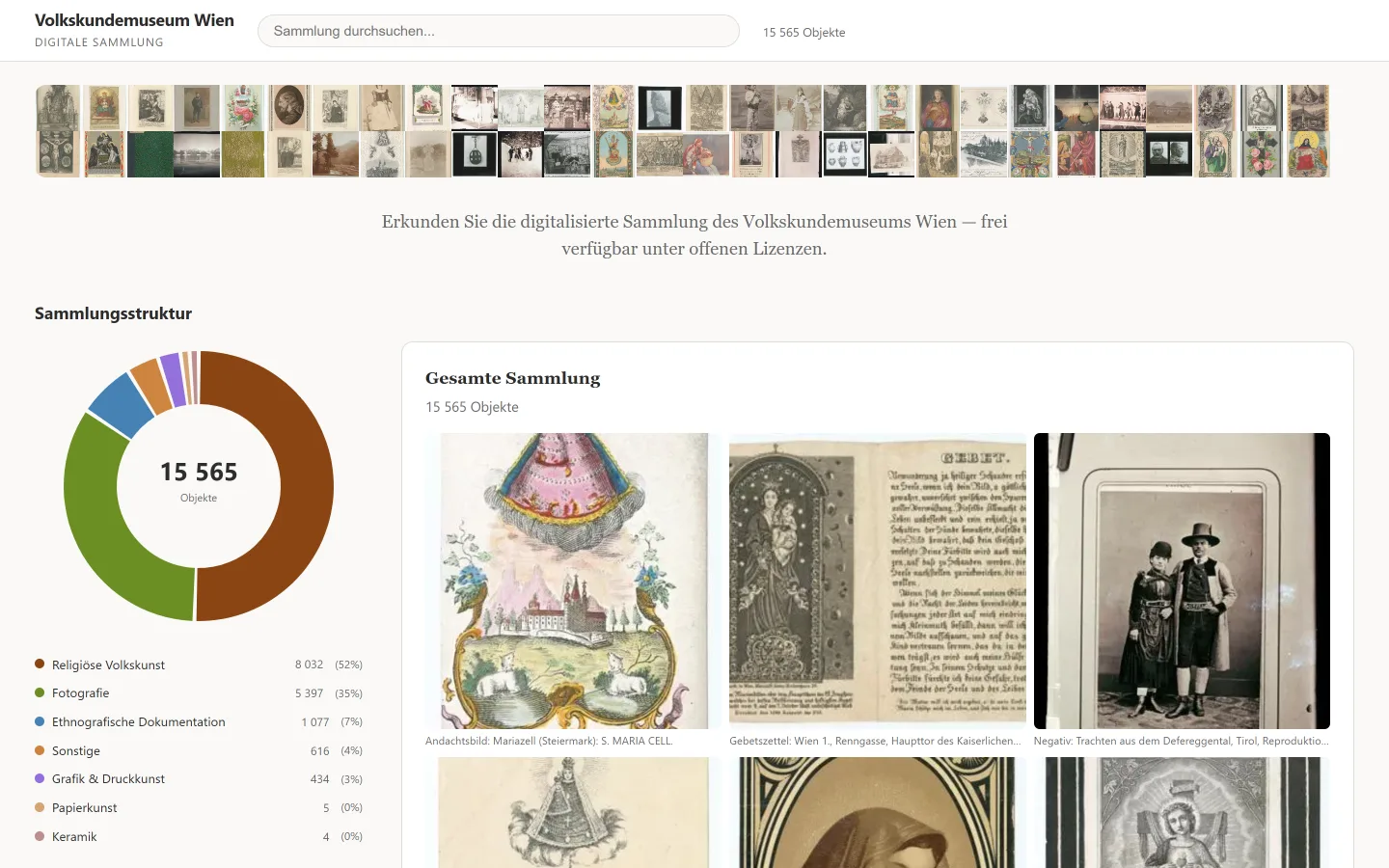
  • Kulturpool-Demo with an image strip of public domain collection objects, a ring chart of the collection structure and an image wall of devotional pictures and photographs.

    Kulturpool-Demo

    • Overview of the whole collection
    • Data stays in-house

    A large digitised collection is difficult to survey through a search form as long as no search term has been settled.

    The Kulturpool-Demo presents the openly licensed objects of an institution from the Kulturpool interface as an image wall with collection structure, facets, full-text search and a detail view.

    State Working prototype from a public hands-on session. The object data are harvested in advance and delivered statically. Evidence

  • Diagram of Objekt-Bestimmung with the original cataloguing beside three LLM suggestions, differing fields are marked and one object is flagged for curatorial review Object Original Photo + Data Correction Review

    Objekt-Bestimmung

    • Overview of the whole collection
    • Checks while you work

    In cataloguing museum objects it is an open question how far a large language model with image understanding can produce a classification from a photograph and metadata.

    Objekt-Bestimmung places the original cataloguing of each object beside the suggestions of the LLM and marks discrepancies and cases for curatorial review.

    State Demonstration environment for a workshop with museum professionals, applied to a selected set of objects. Evidence

Methods and frameworks

  • Promptotyping as a cycle of preparation, exploration, distillation and implementation around a shared knowledge base Preparation Exploration Distillation Implementation

    Promptotyping

    Promptotyping is our method for developing research artefacts with AI agents. Sources, data and the domain understanding of the project are held in a maintained knowledge base from which every development round draws and into which it writes back.

    State Basis of our projects. An article on L.I.S.A. introduces the method, a journal article is in preparation. Evidence

  • Grounded Vault as a chain of layers from the source via full text, distillate and claim to the finished text, each claim with an anchor back to the supporting source passage Text Claim Distillate Full text Source Validation Machine Human

    Grounded Vault

    Grounded Vault is a repository template for evidence-based knowledge work with AI agents. Every load-bearing claim in a report or expert opinion leads through a verifiable anchor to the source passage, so that experts can verify the text paragraph by paragraph.

    State In productive use in several of our own projects. Proof that the template can be reproduced from a fresh checkout is still pending. Evidence

  • Agentic Edition Pipeline from the digital copy via transcription and review by the editorial team to TEI and a reading and review view Digital copy Transcription Team review <TEI/> Reading view

    Agentic Edition Pipeline

    The Agentic Edition Pipeline is a copyable template for digital editions. It takes digital copies through transcription, review stages and TEI to a static reading and review view that requires no server of its own. Scholarly acceptance rests with the editorial team.

    State Research preview without a stable release. A complete run with a current edition project is still pending. Evidence

Quality

Documented requirements
We work according to the Promptotyping method. Requirements, data model and design decisions are recorded in writing within the project and remain traceable for later changes.
Tests with your material
Testing uses your own files, in particular lossless writing back into the source files, edge cases and validation against your schema. We record the results.
Open formats
We store data in open formats, in research for example TEI, IIIF and RDF. Your data therefore remain usable without the tool.
Expert control
Where a tool uses large language models, their suggestions are labelled and adopted only with the approval of your experts.
Handover
You receive the complete source code and documentation with which your team, an external developer or an AI assistant can continue the work. On request we archive research data for the long term in the certified repository GAMS, in cooperation with the Department of Digital Humanities at the University of Graz.

Who we are

Digital Humanities Craft is a company that grew out of research in the Digital Humanities, based near Graz. We develop research software and digital editions, teach at universities across Europe and work as a partner in funded projects. Team and projects on dhcraft.org

Institutions we work for

  • Yale University
  • Kunsthistorisches Museum Wien
  • Austrian National Library
  • Austrian Academy of Sciences
  • Zentralbibliothek Zürich
  • Literature Archive Salzburg
  • University of Salzburg
  • University of Graz
  • Max Planck Institute for Legal History and Legal Theory
  • Klassik Stiftung Weimar
  • Berlin-Brandenburg Academy of Sciences and Humanities
  • mdw Vienna

Process

  1. Initial conversation

    You show us the workflow on screen with real files. We establish where time is lost and who carries the work.

  2. Requirements and quotation

    We record goal, data, limits and test criteria in writing and prepare a quotation with a clearly defined scope.

  3. Prototype on your data

    We build a first working version with your material, which you try out in your daily work.

  4. Testing and acceptance

    We test the tool together with you against the agreed criteria. Your experts declare acceptance.

  5. Handover and support

    You receive the tool, the source code and the documentation. On request we take on maintenance and further development.

Good fit

  • Archives, museums, libraries and memorial sites
  • Universities, academies and research projects, also as a partner in funded projects
  • Companies and public administration with a workflow for which no suitable standard software exists
  • recurring work with files, lists or images that is currently done in Word, Excel or by hand

Not a fit

  • Replacement for standard software with vendor support
  • general websites, online shops or public relations
  • projects without a subject contact for testing and acceptance

Request a project

In conversation

Describe your workflow to us briefly. The following details are helpful:

  1. Which workflow costs you time?
  2. Who does the work, and with what?
  3. Which files are involved, and in what volume?
  4. What should the outcome be?

office@dhcraft.org

With documents

Send us what you already have. From it we build a first prototype on which the project can be discussed in concrete terms.

  • a one-page project description
  • sample data, for example a few typical files
  • your ideas of what the tool should do

Billing follows the commission, by the hour or as an agreed fee.